Products

The Interview Sarthi apps. One for every step.

Four apps, each built for one step: finding a job, practising the interview, getting help during it and handling client meetings at work. Every one is free to start.

Step 1 · Find a job

Apply Sarthi

Fully automatic: you don't fill a single form.

A Windows app for your job search. Set it up once with your CV, and Apply Sarthi finds jobs that fit you on different job portals, fills in each application and sends it, every day.

  • Gets jobs from different portals and applies for you
  • Runs by itself, every day
  • Free every week: 20 applications in your first week, then 15 a week
Works on
Windows PC, from the Microsoft Store
Start free
20 applications in week one, then 15 every week

Some sites ask a question only you can answer, or a quick check. The app hands those to you.
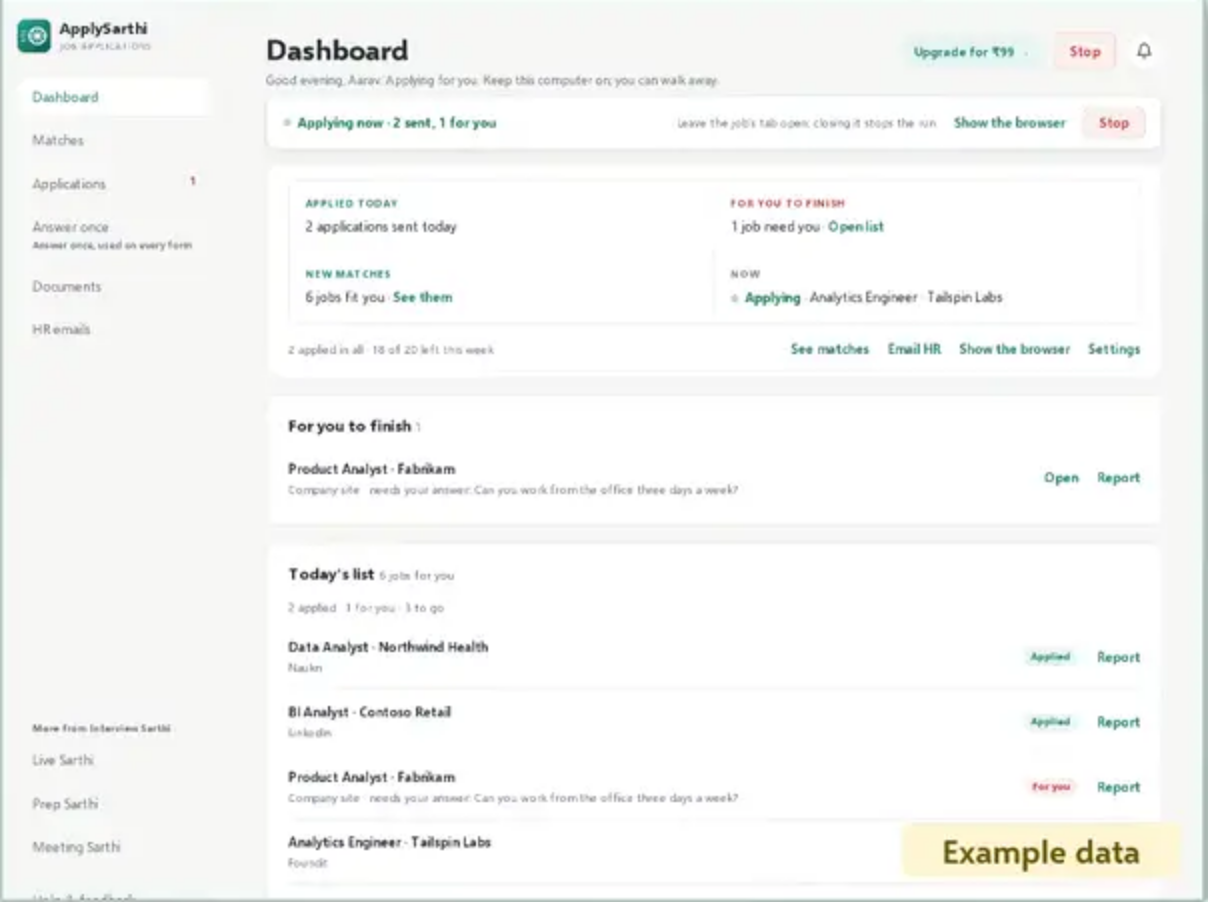
Apply Sarthi · Dashboard
Apply Sarthi app screen
Step 2 · Practise

Prep Sarthi

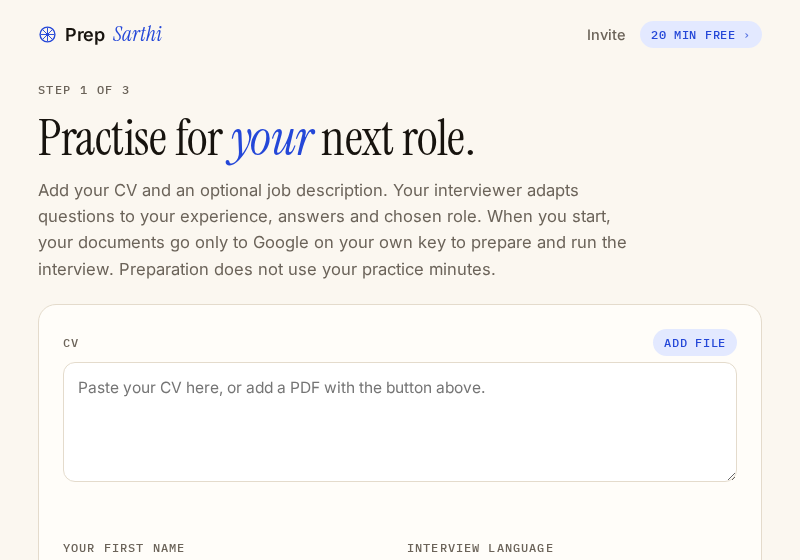
A real voice interview about your own CV.

No one to practise with? Prep Sarthi's AI interviewer talks to you by voice and asks about your own projects and the job you want, the way a real interviewer would.

  • Follows up when an answer is weak
  • Scores every answer and shows a stronger one
  • Runs in the browser on your phone or computer
Works on
Phone or computer, in the browser
Start free
A 7-minute demo interview, no sign-up
Prep Sarthi · Set up your interview
Prep Sarthi app screen
Step 3 · The interview

Live Sarthi

Answers from your own resume, during the interview.

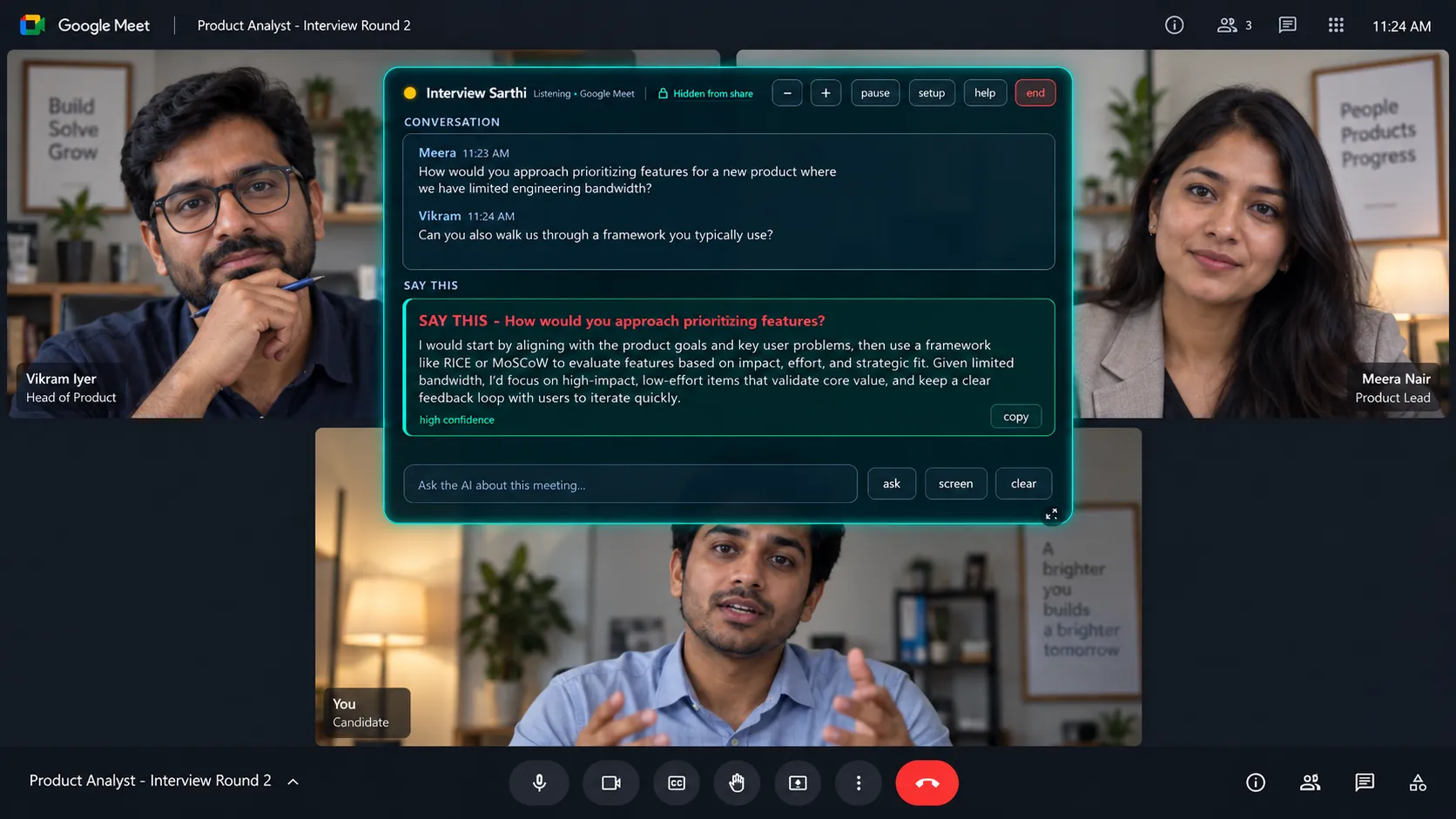
Live Sarthi listens to the interviewer's question and shows a suggested answer based on your CV, right alongside your call. Answers start in about a second; timing varies.

  • Based on your own CV and the job you're interviewing for
  • Unlimited interviews during your pass
  • On your Windows PC, or on your phone
Works on
Windows 10/11 PC, or your phone
Start free
30 minutes free

Use AI assistance only where your interviewer, employer or assessment allows it.

Live Sarthi · During a call
Live Sarthi app screen
Step 4 · At work

Meeting Sarthi

The client asks. Your reply is ready.

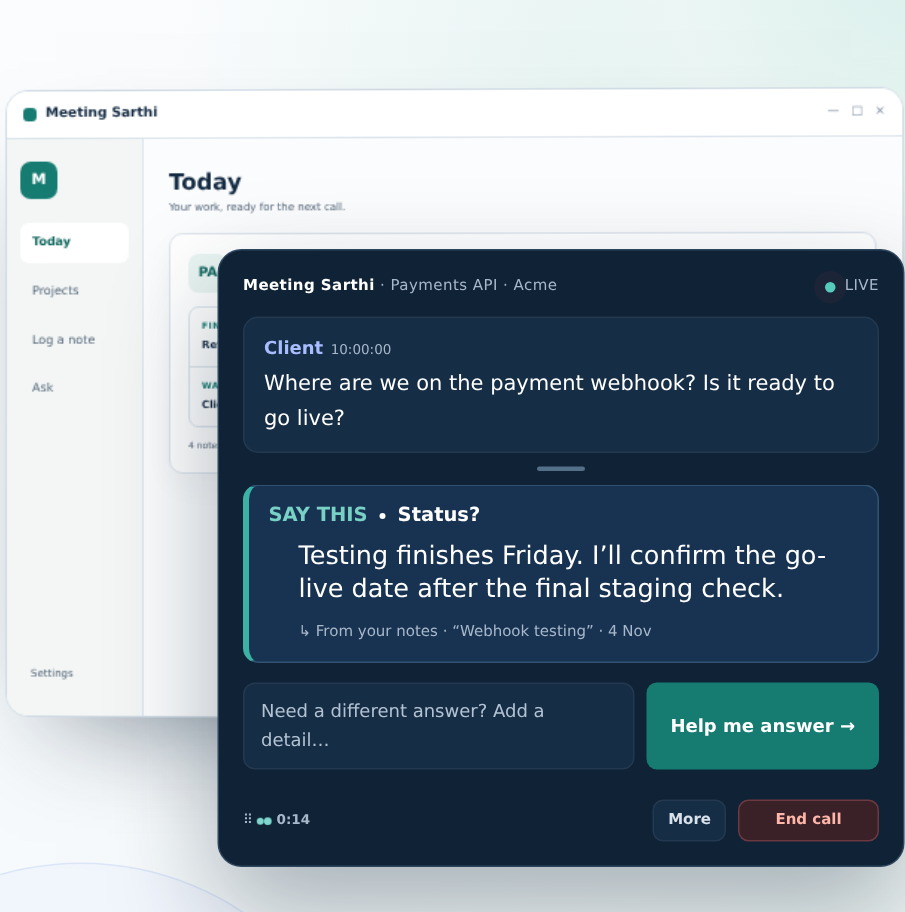
For client meetings. Live captions show what the client said, even when the accent is hard to follow, and a short reply from your own project shows you what to say.

  • Live captions and meeting recaps
  • Replies come from your own project
  • Never joins the meeting; nobody is invited
Works on
Windows PC, from the Microsoft Store
Start free
Captions and recaps free, plus 30 free minutes of live answers
Meeting Sarthi · Client call
Meeting Sarthi app screen

Prices for every app are on interviewsarthi.com. Passes are paid once and never renew automatically.

See prices
Work with us

Partnerships, press or business questions?

Write to us at contact@aisarthitech.com. We usually reply within one working day.

Need help with one of our apps? Write to support@interviewsarthi.com or visit the help page.